UK FlagTHE UK'S LEADING SAME DAY PRINTER!

A6 Postcards

105x148mm

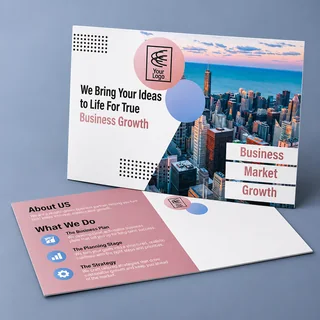
Whether you're promoting a breathtaking holiday destination or highlighting your brand and services, our Silk Postcards provide an attractive method to convey your message in vibrant full color. Available in three sizes: A6, A5, and DL, in a thick 400gsm silk finish.


Choose your quantity and delivery date

(Delivery dates shown below are based on approval of proof)

A6 Postcards Double Sided prices including VAT
QTYSTANDARD

Tuesday 24th November

EXPRESS

Thursday 19th November

FAST TRACK

Wednesday 18th November

25£28.80£30.00£32.40
50£28.80£30.00£32.40
75£31.20£33.60£34.80
100£31.20£33.60£34.80
150£36.00£38.40£40.80
200£37.20£39.60£42.00
500£55.20£57.60£61.20
1000£82.80£87.60£92.40
2000£88.80£94.80£99.60
2500£96.00£90.00£106.80
———
Quantity shown is per design.

Prices include VAT at 20%.


A6 Postcards

Whether you're promoting a breathtaking holiday destination or highlighting your brand and services, our Silk Postcards provide an attractive method to convey your message in vibrant full color. Available in three sizes: A6, A5, and DL, in a thick 400gsm silk finish.

All our full colour postcard printing is done in-house using state-of-the-art printing presses at our Leicestershire based factory - ensuring complete control over quality at all times. Offering affordable print online does not mean compromising on quality - we pride ourselves on delivering high-quality print solutions. With over 30 years of experience, we are the UK's leading specialists in postcard printing.

Whether you need 1000 A6 postcards, 5000 A5 postcards, or 10,000 DL postcards, our customer service is exceptional, friendly, and responsive. Our team is dedicated to helping you achieve your goals.

Postcard printing is ideal for promoting your business, service, or event. Our postcards are available in various sizes and on 400gsm board, with options for double or single-sided printing. They are perfect for invitations as well as promotional materials, catering to a wide range of businesses including hospitality, retail, and more.

Choose from A6 postcards, A5 postcards, or DL postcards to effectively communicate your message. Whether you're promoting a restaurant, hosting an event, or advertising a special offer, our postcards are designed to make a lasting impression.

Postcards

Frequently Asked Questions


What size are these postcards?

A6 postcards measure 105x148mm.

What material is used?

400gsm silk finish.

Can I print on both sides?

Choose Single Sided or Double Sided in the printed sides selector.

What does Versions mean?

A version is a different design. Each design receives the selected quantity. The displayed total covers every design.

Can I choose a bespoke quantity?

Enter a whole quantity from 25 to 2500 in the bespoke row, then choose a delivery date.

Do the prices include VAT?

Prices include VAT at 20% by default. Use the VAT switch to compare prices excluding VAT.

Postcards

Delivery Options


We pride ourselves on our prompt and reliable printing services, offering three turnaround speeds to suit all budgets. We proudly provide true same day printing with optional next day delivery, ensuring you receive your postcards as quickly as possible. Unlike some competitors who may add extra days to the turnaround time, we ensure prompt and reliable delivery with our flexible turnarounds.

For affordable postcard printing, you can use our standard 5-day turnaround, which means we will dispatch your order in 5 working days. This service is ideal if you are not in a rush for your postcards and just want the most economical option available online.

We also offer 24-hour postcard printing with next day delivery guaranteed for those times when you need your postcards quickly.

If you need rapid printing, our same day printing service is available – order by 12pm, and your A6, A5, or DL postcards will be printed and dispatched the same day, ensuring delivery to your door the next working day.

Delivery

Templates

Click to download your template or design your own artwork using Canva:

Our Templates
Our templates are pre-sized with guides for trim and safe areas. Delete the template after designing.

Templates

Artwork Guide

Getting your design right for postcard printing is crucial – a poorly designed postcard is likely to be ignored or discarded.

Instead of printing 5000 postcards with a quick 'DIY' design, you'll achieve a much better response with a professionally designed postcard. For example, a 2% response rate from 5000 professionally designed postcards is significantly better than a 0.5% response rate from 10,000 postcards with a basic DIY design.

Keep your postcard design simple, whether it's an A6, A5, or DL postcard. You only have a limited amount of time to capture your audience's attention – remember, first impressions count!

Use a reliable printer. When you order your postcards, you want them quickly – 'strike while the iron's hot'! Choose a fast printer who can offer quick turnaround times such as same day, next day, or 24-hour postcard printing. While you may pay slightly more for expedited service, consider how much more revenue you could generate by getting your postcards out to your customers promptly using a next day printing company.

Whether you’re new to print design or just want to double-check you’re doing things correctly, this guide outlines the key considerations when supplying artwork — helping you avoid delays or unexpected results.

Creating your artwork

Start by creating a new document using your preferred design software or online design tool. This can be anything from a simple browser-based editor to professional design software.

  • • Online tools: Canva and similar browser-based designers
  • • Adobe Creative Suite: Photoshop, Illustrator, InDesign
  • • CorelDRAW: Bitmap and vector design support
  • • Microsoft Office: Word, Publisher or PowerPoint
  • • Other software: Any tool that can export a high-quality PDF
  1. • Set your document to the correct finished size.
  2. • Keep important text and logos inside a safe area.
  3. • Add images, text and colours to build your design.
  4. • Export your final artwork as a PDF.

Print & colour guidelines

  • • Keep text and important elements at least 3mm from the edge
  • • Extend background colours and images fully to the edge of the page
  • • Avoid borders where possible — trimming tolerances can make them appear uneven
  • • Use images at 300 DPI for sharp, professional print quality
  • • Supply artwork as single-page PDFs

Colours on screen often appear brighter than in print because screens use RGB colour made from LED light, while printing uses CMYK inks applied to paper. This difference means some colour variation is normal when moving from screen to print.

Our proofing system automatically converts your artwork to CMYK and shows you exactly how it will print before approval.

For solid black areas, we recommend using a rich black mix:
C 60% / M 60% / Y 0% / K 100%

Before you approve

  • • Check spelling, grammar, prices and dates
  • • Review yellow tones carefully after upload
  • • Ensure no important content sits close to the edge
  • • Only approve when you’re completely happy

Uploading your artwork

After placing your order and completing payment, you’ll be taken to our file upload page. This is where you upload, preview and approve your artwork before it goes to print.

Step 1 – Choose your product

Select the product you’ve ordered. If your order contains multiple items, start with the first product listed.

Step 2 – Design service (if purchased)

If you’ve paid for our professional design service, select this option to complete a short design brief. A proof will be emailed to you within 3–4 working days.

Step 3 – Upload your file

Choose the correct size and orientation, then upload your artwork file. For double-sided products, upload each side separately — or upload a two-page PDF containing both sides.

Step 4 – Preview and adjust

You’ll see a live preview of your artwork. Your design should reach the black edge line. If needed, use the crop and resize tools to make your artwork fill the page.

Step 5 – Final check and approval

Carefully review the final preview — what you see on screen is exactly what will be printed. Enter your invoice number and product code, then click Approve & Print.

Once approved, your file enters our automated production workflow and no changes can be made.

Need more help?

Save your quote

Save this link to return to your postcard specification and selected quantity. Prices are confirmed when you return.